> For the complete documentation index, see [llms.txt](https://docs.zonwizard.com/llms.txt). Markdown versions of documentation pages are available by appending `.md` to page URLs; this page is available as [Markdown](https://docs.zonwizard.com/inventory/settings-analytics-tool.md).
# Settings (Inventory Tool)
In this section, you can manage the settings of the Analytics Tool.
You can access this section from the left menu [**Analytics >> Settings**](https://app.zonwizard.com/analytics/analytics-setting/).
### Available ON-HAND inventory settings
In order for ZonWizard to provide suggestions on the products to order from suppliers, it is necessary to configure:
* **Maximum days in stock:** The number of days of inventory you want to keep in your warehouse. If you only store in Amazon fulfillment centers, you can set this value to zero;
* **Default Procurement Time:** The number of days it takes for products to arrive in your warehouse after placing an order with the supplier. This is the initial value, but it can be changed for each individual product;
and then, click on the **"Update all products"** button.
### Marketplace inventory settings
In order for ZonWizard to provide suggestions on the products to be supplied to Amazon, it is necessary to configure:
* **Maximum days of stock** you want to keep in Amazon FBA
* **Default shipping time to Amazon (in days)**
and then, click on the **"Update all products"** button.
### Low stock alerts
The reorder date takes into account the days of stock remaining plus the days needed to source the product or ship it to Amazon.
You can use this field to indicate how many days before the last reorder date you want to receive the notification.
{% hint style="info" %}
If you also want to receive notifications of the products to be ordered by email, see the "[**notification preferences**](https://docs.zonwizard.com/it/user/profilo/accesso-utente-e-preferenze-email#vv6wved21e4n)" section.
{% endhint %}
### Exclude FBM from Inventory Notifications
By activating this option, you will receive notifications for low inventory only on products in FBA logistics.
### Consider FBA inventory in the internal restock
By activating this option, reorder suggestions to suppliers will take into account the stocks already present in Fulfillment by Amazon (FBA), reducing unnecessary purchases while ensuring complete coverage of demand on other sales channels (FBM, WooCommerce, Shopify and PrestaShop).
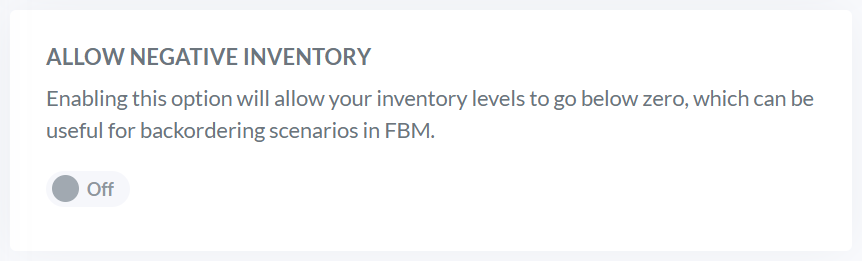
### Allow negative inventory
By enabling this option, your inventory levels can drop below zero, which can be useful for FBM sellers to manage backorders.
### Auto add COGS
By activating this option, the cost of products sold will be automatically added to the [**Profit - Products** ](/profit/products.md)section, in based on the price of the purchase order placed.


 ### Exclude FBM from Inventory Notifications
By activating this option, you will receive notifications for low inventory only on products in FBA logistics.
### Exclude FBM from Inventory Notifications
By activating this option, you will receive notifications for low inventory only on products in FBA logistics.
 ### Consider FBA inventory in the internal restock
By activating this option, reorder suggestions to suppliers will take into account the stocks already present in Fulfillment by Amazon (FBA), reducing unnecessary purchases while ensuring complete coverage of demand on other sales channels (FBM, WooCommerce, Shopify and PrestaShop).
### Consider FBA inventory in the internal restock
By activating this option, reorder suggestions to suppliers will take into account the stocks already present in Fulfillment by Amazon (FBA), reducing unnecessary purchases while ensuring complete coverage of demand on other sales channels (FBM, WooCommerce, Shopify and PrestaShop).